Converting isn’t magic, it’s a trade off. Every time you turn MPEG video into an MP3 file, something changes behind the scenes. This article breaks down exactly what you gain, what disappears forever, and whether that swap actually makes sense for your specific files.
What Changes When MPEG Video Becomes an MP3 File?
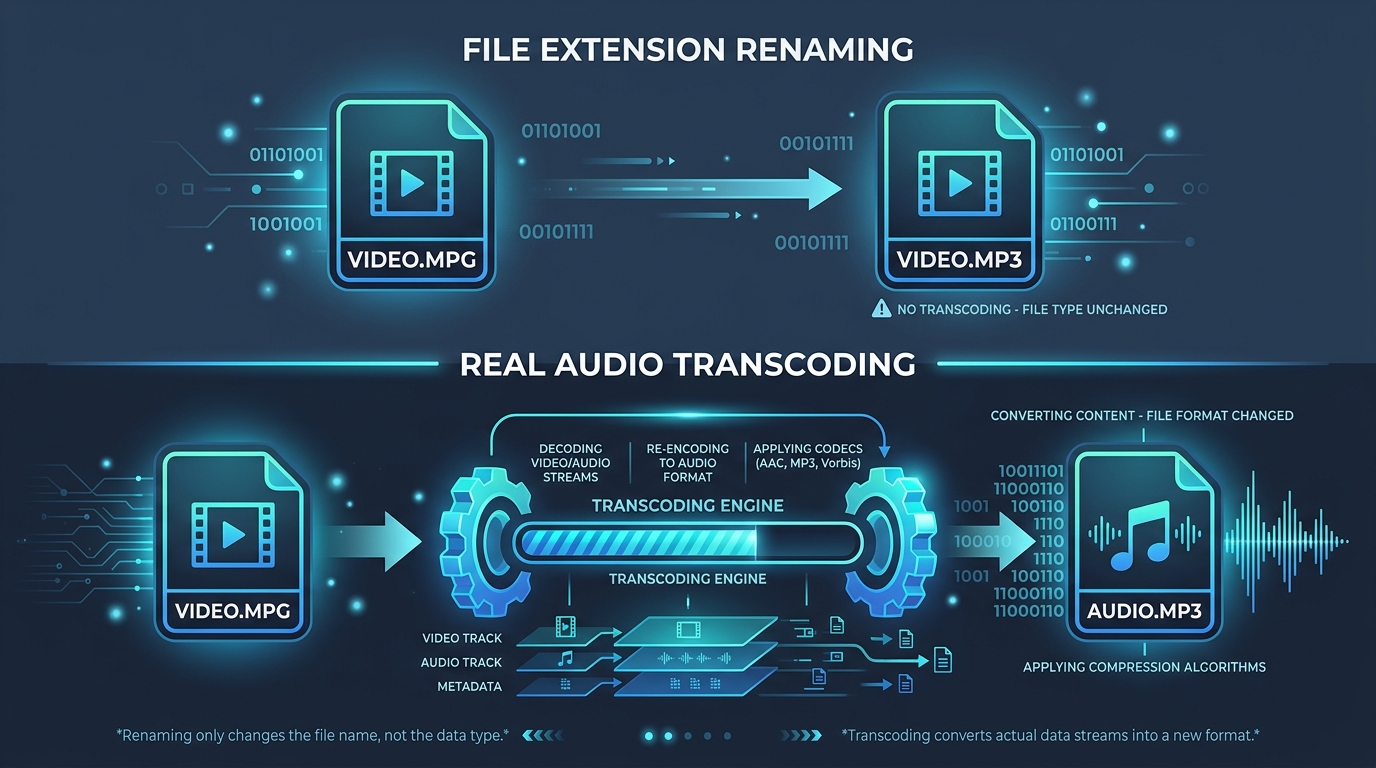
The moment you run a conversion, your file transforms completely. The video stream vanishes entirely, leaving only compressed audio. What remains is a smaller, audio only version built specifically around MP3 encoding standards.
This process isn’t reversible either. Once video data gets discarded during extraction, there’s no getting it back. That’s an important detail many people overlook before hitting the convert button on their favorite MPEG converter.
Which Parts of the Original Media Are Preserved?
Good news first: the core audio fidelity mostly survives, assuming reasonable settings. Dialogue, music, and soundtrack elements transfer over recognizably, especially with a decent bitrate chosen during MP3 encoding.
Some metadata may carry through too, depending on your tool. Basic details like duration often persist, though creative fields like artist name usually need manual entry afterward since MPEG containers rarely tag audio the same way MP3 files typically do.
What Happens to Video When Only Audio Is Exported?
Simply put, it disappears. MP3 cannot store visual information at all. Once audio extraction finishes, your original MPEG video loss is permanent unless you kept a backup copy of the untouched source file beforehand.
How MP3 Compression Affects the Extracted Sound
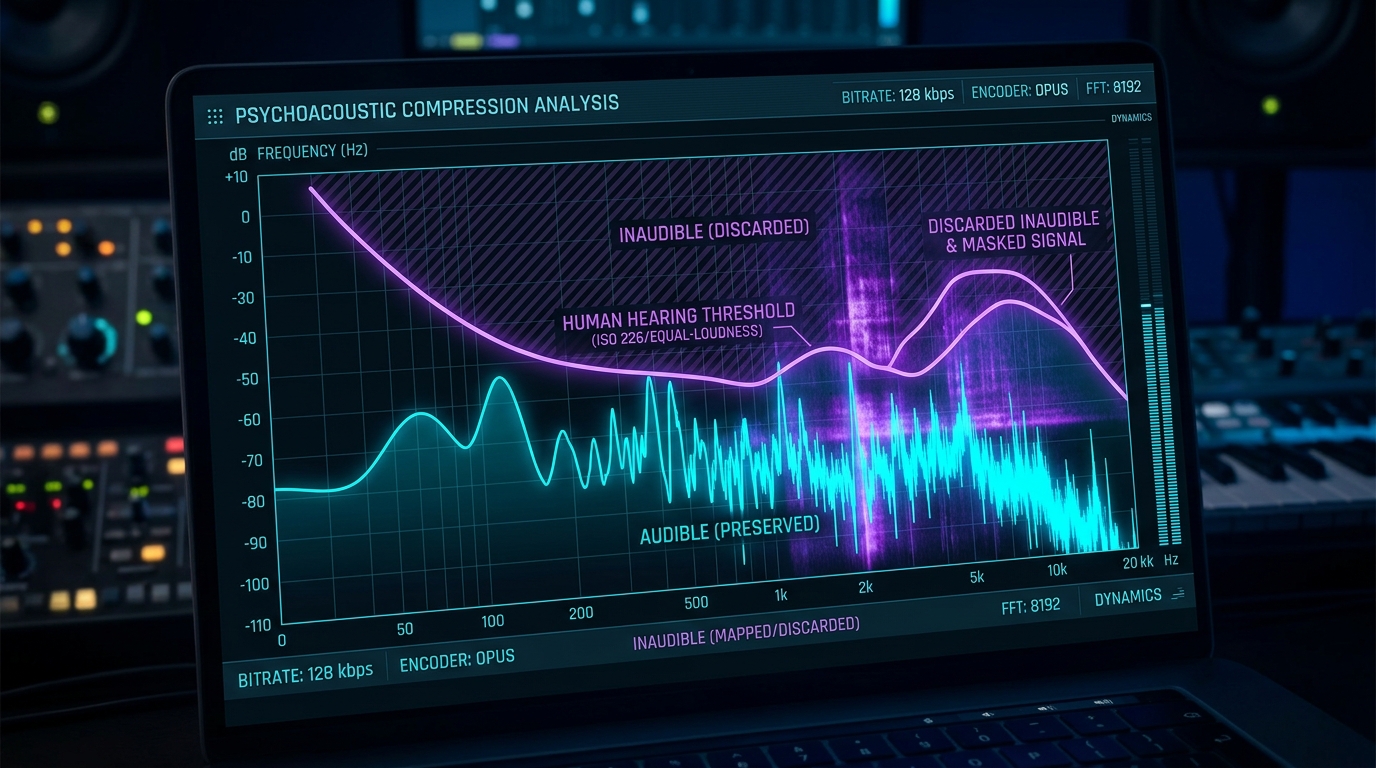
MP3 compression works by discarding audio frequencies human ears barely notice. This is called lossy audio processing. It shrinks file size dramatically but does slightly alter the original sound compared to uncompressed formats.
Most listeners never notice the difference during casual playback. Audiophiles, however, sometimes detect subtle changes in audio fidelity, particularly with complex orchestral music or high detail source audio quality recordings pushed through lower bitrate settings.
What You Gain in File Size and Compatibility
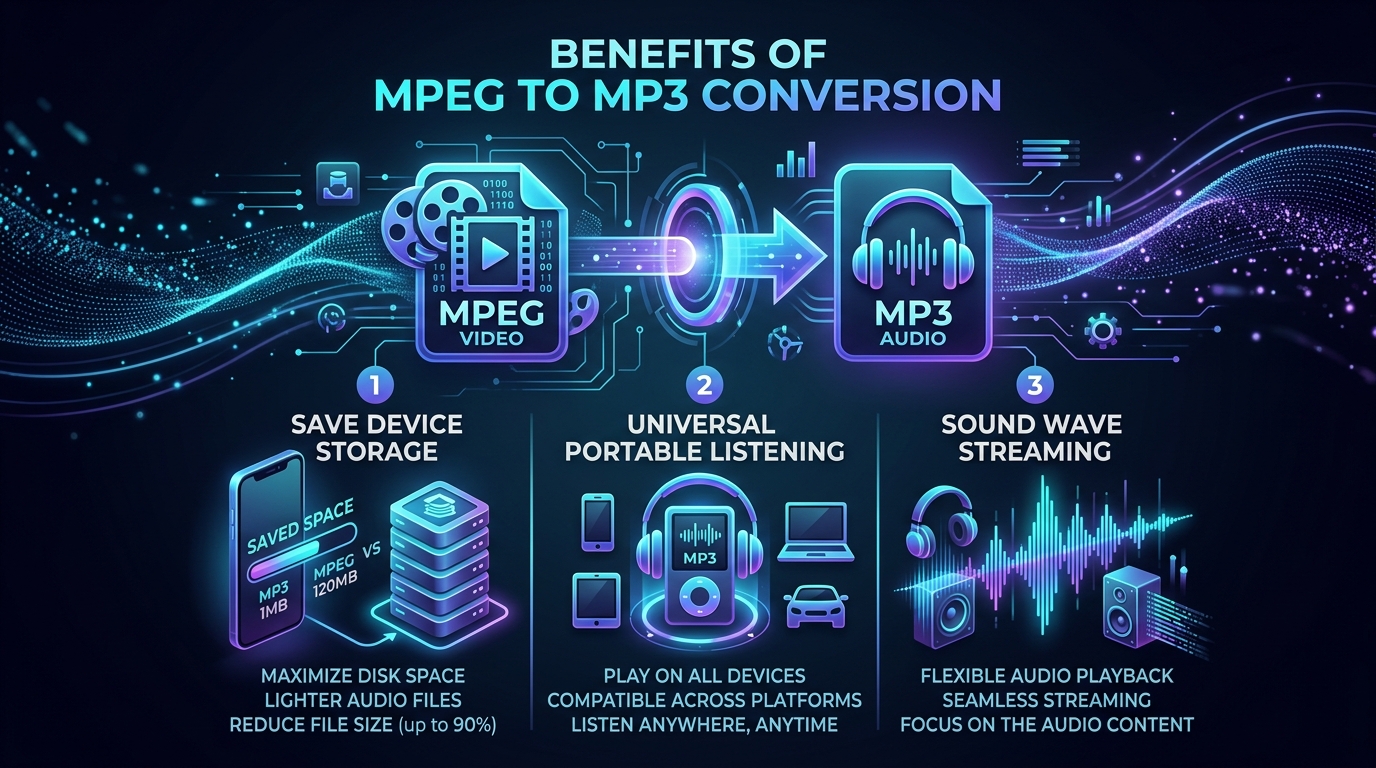
The upside here is significant. File size comparison studies consistently show MP3 files running a fraction of their original MPEG counterparts. A two hour movie’s audio might shrink from gigabytes down to mere megabytes.
| Factor | MPEG Video | MP3 Audio |
|---|---|---|
| Average File Size | Large (GBs) | Small (MBs) |
| Device Compatibility | Moderate | Excellent |
| Contains Video | Yes | No |
| Editable Metadata | Limited | Extensive (ID3) |
Audio compatibility also jumps considerably, since virtually every device on Earth plays MP3 without extra software.
What You Lose From the Original MPEG File
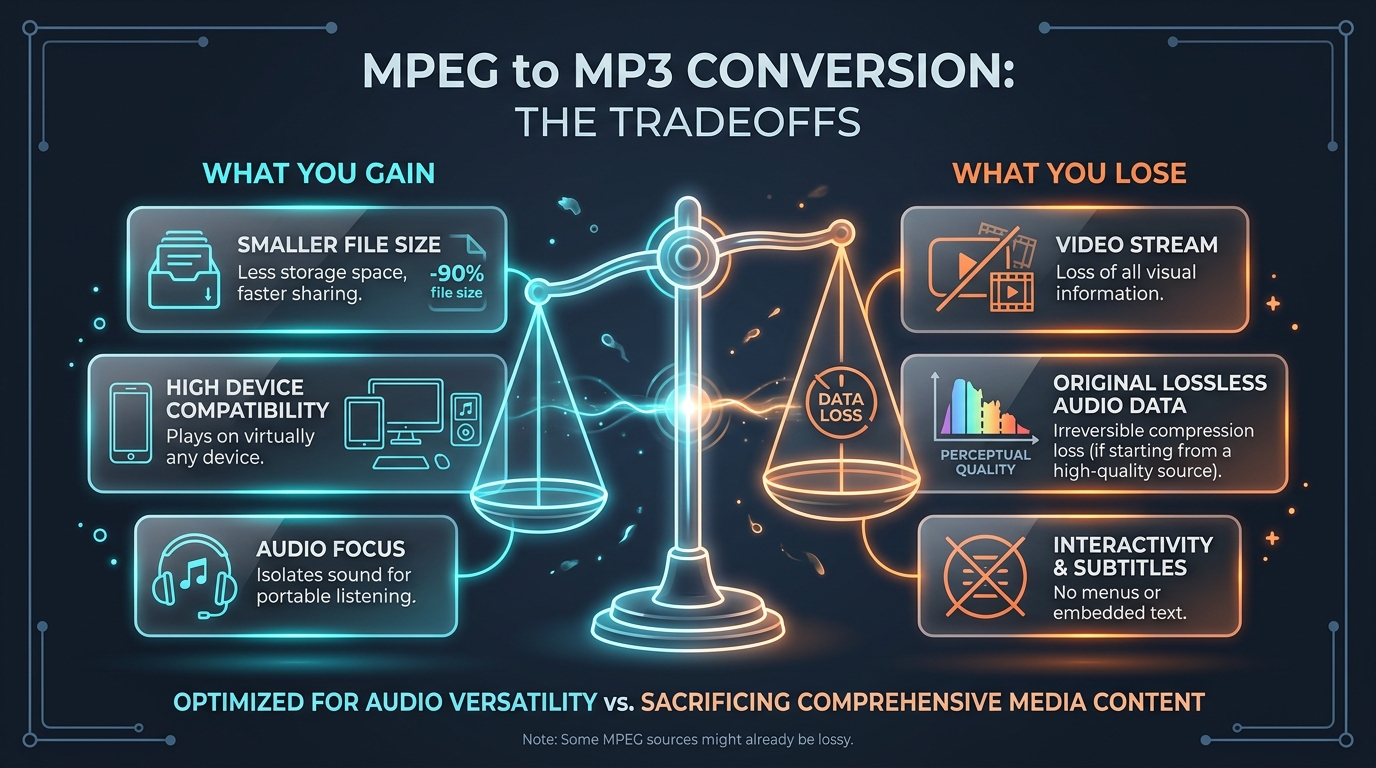
Beyond the obvious video loss, you sacrifice some audio fidelity too. Lossy audio compression means permanent, tiny quality reductions baked into the file forever. There’s no undoing this once conversion completes.
You also lose flexibility. Original MPEG soundtrack files sometimes contain multiple audio tracks or languages. A single MP3 export typically captures just one selected stream, discarding alternate options permanently.
How Metadata Can Change During Conversion
Metadata preservation isn’t guaranteed. Titles, chapter markers, and embedded subtitles from the original file rarely transfer automatically. You’ll likely need to manually add proper ID3 tags afterward for a polished, organized audio archive.
When Lossless Audio Would Be a Better Choice Than MP3
If audio fidelity truly matters, consider lossless audio formats like FLAC or WAV instead. These preserve every bit of original sound without the frequency cutting tricks MP3 relies on for compressed audio output.
Archival projects, professional recordings, or music you’ll edit later deserve this extra care. Casual listening, podcasts, and everyday voice recordings, however, rarely need anything beyond standard MP3 conversion results.
How the Source Audio Determines the Final Result
Here’s a crucial truth: conversion cannot improve quality beyond what’s already there. If your original MPEG soundtrack was recorded poorly, no amount of clever MP3 encoding will fix it. Garbage in, garbage out remains the golden rule.
Always start with the best possible source audio quality available. A clean original recording converted at a modest bitrate will sound better than a noisy, poorly recorded file pushed through maximum quality settings.
Conclusion: Understanding the Trade Off Before Converting
Every MPEG to MP3 conversion involves genuine give and take. You gain portability, smaller size, and near universal compatibility. You lose the video entirely, plus a sliver of audio fidelity through lossy audio compression. Weigh these conversion tradeoffs honestly, and you’ll know exactly whether converting suits your specific needs.