MPEG to MP3 Converter
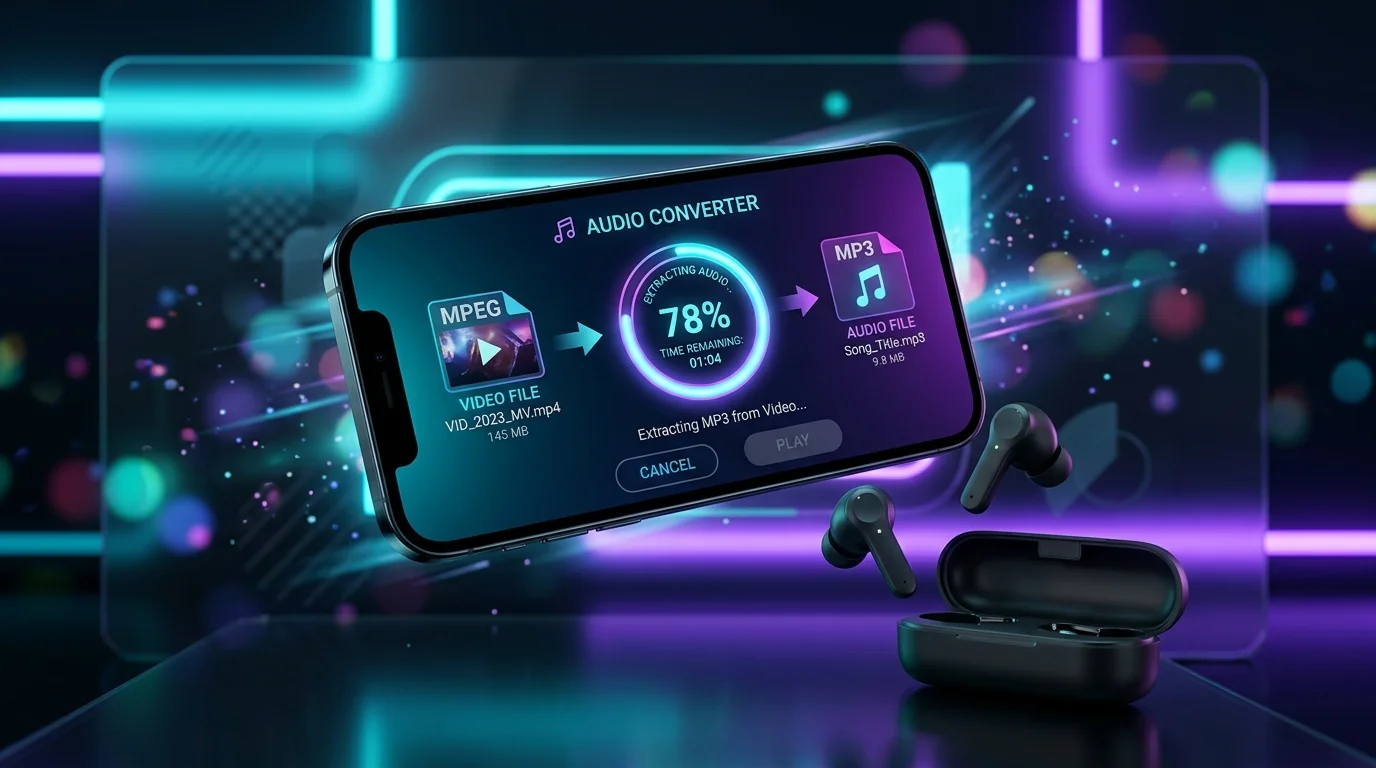
An MPEG to MP3 converter extracts the audio track from an MPEG (Motion Picture Experts Group) video file and encodes the audio into MP3 (MPEG-1 Audio Layer III) format. The conversion uses lossy compression to reduce file size while keeping audio quality close to the original MPEG source. This MPEG to MP3 tool runs in your browser — no uploads, no installs, no subscriptions.
Select your file here to get started
MPEG to MP3 Converter
Drop your MPEG file and get high-quality MP3 audio in seconds. No registration required.
Drop your MPEG file here
or from your computer
Supports MPEG, MPG, MP4, AVI, MOV, WMV, MKV • Max 500MB
File Size Calculator
Estimate your MP3 file size before converting. Plan your storage needs in advance.
Source Video
Output MP3
How to Convert MPEG to MP3?
To convert MPEG to MP3, follow 3 steps. The entire audio file format conversion happens locally in your browser using WebAssembly-based transcoding.
Upload Your MPEG File
Drag and drop your MPEG video file or browse from your device. The MPEG file stays on your device — no upload to any server.
Set Audio Bitrate and Quality
Choose your MP3 audio bitrate (128, 192, 256, or 320 kbps), sample rate (44100 Hz or 48000 Hz), and audio channels (Stereo or Mono). Adjust volume and trim settings for digital audio extraction.
Download Your MP3 File
Click convert, then download the MP3 file. The audio transcoding completes in seconds. Your converted MP3 file includes proper ID3 tags and metadata.
Easy to Use
To use this MPEG to MP3 converter, drag and drop your file, choose your audio bitrate, and press convert. No registration, no software installation, and no technical knowledge required. The converter runs in Google Chrome, Firefox, Safari, and Edge.
Best Quality
This MPEG to MP3 converter supports audio bitrate up to 320 kbps with variable bitrate (VBR) and constant bitrate (CBR) encoding. The LAME MP3 Encoder processes the audio codec layer, preserving sample rate accuracy at 44100 Hz (44.1 kHz) or 48000 Hz (48 kHz). Audio quality at 256 kbps and above is perceptually identical to CD-quality audio.
Free & Secure
This MPEG to MP3 converter is free with no hidden costs, no file limits, and no watermarks. All audio file format conversion happens in your browser's local sandbox. Your MPEG files never leave your device and are never uploaded to any server. The converter respects Fair Use Doctrine principles for personal audio conversion.
What is an MPEG (Motion Picture Experts Group) file?
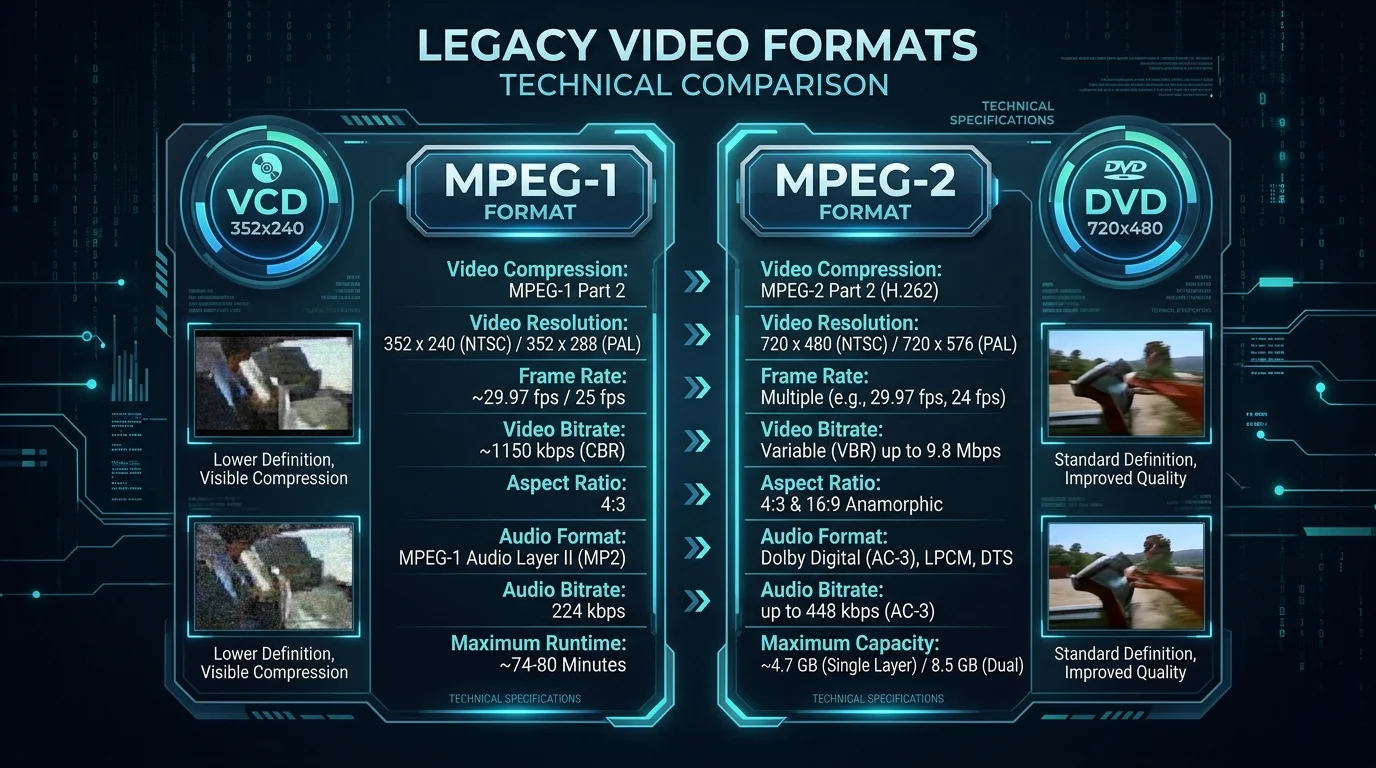
An MPEG file is a digital video file that follows the Motion Picture Experts Group standard for audio and video compression. MPEG files use the .mpeg or .mpg extension and contain both a video stream and an audio stream inside a single container format. There are 3 primary MPEG standards: MPEG-1 (used for VCDs at 352×240 resolution), MPEG-2 (used for DVDs and broadcast TV at up to 1920×1080 resolution), and MPEG-4 (used for streaming and web video with advanced codec compression).
An MPEG file stores video frames using inter-frame and intra-frame compression. The audio codec inside an MPEG container is typically MPEG-1 Audio Layer II or MPEG-1 Audio Layer III (MP3). Metadata in MPEG files includes duration, resolution, frame rate (usually 24, 25, or 30 fps), and audio sample rate.
How to open an MPEG file?
Open an MPEG file with VLC Media Player (free, open source, works on Windows, Mac, and Linux), Windows Media Player (built into Windows), iTunes (Mac), or any media player that supports MPEG-1 and MPEG-2 codecs. FFmpeg is a command-line open source audio tool for batch processing MPEG files.
What is an MP3 (MPEG-1 Audio Layer III or MPEG-2 Audio Layer III) file?
An MP3 file is a digital audio file that uses the MPEG-1 Audio Layer III or MPEG-2 Audio Layer III codec for lossy compression. MP3 files use the .mp3 extension and contain a single audio stream with ID3 tags for metadata (artist, album, track title, genre, and album art). The LAME MP3 Encoder is the most widely used open source MP3 encoding library.
MP3 audio compression removes frequencies that fall outside human hearing range (below 20 Hz and above 20,000 Hz) and uses Huffman coding to reduce the bit reservoir. An MP3 file at 320 kbps constant bitrate occupies about 2.4 MB per minute of audio. At 128 kbps, the same minute of audio uses about 0.96 MB (960 KB). Variable bitrate (VBR) encoding allocates more bits to complex audio passages and fewer bits to silence, resulting in smaller files with better average quality.
How to open an MP3 file?
Open an MP3 file with any media player, including VLC Media Player, iTunes, Windows Media Player, Google Chrome (drag the file into a browser tab), Audacity (for editing), or Adobe Audition (for professional audio production). MP3 files play on Windows, Mac, Linux, Android, and iOS without extra software.
Convert Other Files to MP3 Format
Convert video and audio files from multiple formats to MP3 using this free online audio converter.
Convert Your MPEG Files to Other Formats
Convert your MPEG video files to other audio and video formats for cross-platform compatibility.
Your Data, Our Priority
All MPEG to MP3 audio transcoding runs in your browser using WebAssembly. Your files are never transmitted to any server.
This converter collects no file data, no audio content, and no personal information during the MPEG to MP3 conversion process.
Convert MPEG to MP3 without creating an account, providing an email address, or sharing any personal details.
The underlying audio codec uses open source encoding libraries. The conversion respects Copyright in Audio Conversion guidelines and Fair Use Doctrine principles.
Complete Conversion Toolkit
Every MPEG-to-MP3 scenario covered — from batch processing to high-fidelity 320 kbps output. Each tool is optimized for its specific conversion workflow.
Convert MPEG to MP3 Online
Browser-based online converter using WebAssembly for instant MPEG to MP3 transcoding.
→Free MPEG to MP3 Converter
Completely free audio extraction — no payments, no premium tiers, no watermarks.
→Best MPEG to MP3 Converter
Top-rated conversion engine with VBR optimization and psychoacoustic modeling.
→MPEG Video to MP3 Converter
Strip video data and extract pure audio tracks from MPEG video containers.
→Extract MP3 from MPEG
Demux audio layer directly from MPEG program streams without re-encoding.
→Convert MPEG Video to MP3
Dedicated video-to-audio pipeline with frame-accurate audio stream extraction.
→MPEG File to MP3
Universal file-level converter supporting .mpeg, .mpg, .mpe, and .m1v extensions.
→MPEG Audio to MP3
Audio-layer transcoder for MPEG-1 Layer II to MP3 Layer III conversion.
→MPEG to MP3 Without Software
Zero-install solution — works entirely in your web browser with no downloads.
→Batch MPEG to MP3 Converter
Process multiple MPEG files simultaneously with parallel conversion queues.
→Bulk MPEG to MP3 Converter
High-volume bulk conversion with folder-level drag-and-drop input support.
→MPEG to MP3 Free Download
Download converted MP3 files instantly — no email gate, no signup required.
→MPEG to MP3 for Windows
Optimized for Windows 10/11 — Chrome, Edge, and Firefox fully supported.
→MPEG to MP3 for Mac
macOS Safari & Chrome compatible — Apple Silicon and Intel Mac support.
→Browser-Based Converter
Pure WebAssembly engine running entirely within your browser tab.
→Secure MPEG to MP3 Converter
Zero-upload architecture — files never leave your device during conversion.
→Unlimited MPEG to MP3
No daily limits, no conversion caps — unlimited file processing for free.
→Convert to MP3 320kbps
Maximum bitrate output at 320 kbps CBR for studio-quality audio fidelity.
→Convert to MP3 128kbps
Compact 128 kbps output for speech, podcasts, and bandwidth-optimized audio.
→MPEG to MP3 High Quality
Psychoacoustic optimized encoding that preserves audio transparency at any bitrate.
→MPEG Movie to MP3
Extract soundtracks, dialogue, and audio from full-length MPEG movie files.
→Convert MPEG to MP3 Instantly
Real-time streaming conversion — starts outputting MP3 data within milliseconds.
→No Limit MPEG to MP3
No file size caps, no conversion quotas — process files of any duration or size.
→Easy MPEG to MP3 Converter
One-click conversion — drag, drop, and download your MP3 in three steps.
→Upload MPEG & Convert
Local file selection with drag-and-drop support for quick MPEG to MP3 conversion.
→MPEG to MP3 Audio Extractor
Precision audio extraction tool that isolates audio streams from MPEG containers.
→Frequently Asked Questions
Yes, this MPEG to MP3 converter handles files up to 500 MB (megabytes). Processing speed depends on your device's CPU and available RAM (random access memory). A 100 MB MPEG file converts in about 15–30 seconds on a modern computer. No server-side upload is required, so there are no network bandwidth limitations or file size restrictions imposed by the server.
MPEG to MP3 conversion uses lossy compression that removes audio frequencies outside the human hearing range (below 20 Hz and above 20,000 Hz). At 320 kbps constant bitrate, the output MP3 is perceptually identical to the source audio for most listeners and hardware. At 128 kbps, file size drops by about 75% with some quality loss — suitable for speech, podcasts, and podcast production. Variable bitrate optimization (VBR) provides the best balance between file size and audio quality by allocating more bits to complex passages.
Yes, this MPEG to MP3 converter works on Windows, Mac, and Linux. The converter runs in any modern web browser — Google Chrome, Firefox, Safari, and Microsoft Edge. No software download or installation is needed. The converter also works on mobile devices running Android and iOS through Chrome and Safari mobile browsers.