Converting already compressed audio can quietly damage quality without any obvious warning sign. This article explains double compression, why it happens, and how to avoid stacking losses when working with MPEG files destined to become MP3.
What Does Double Compression Mean in Digital Audio?
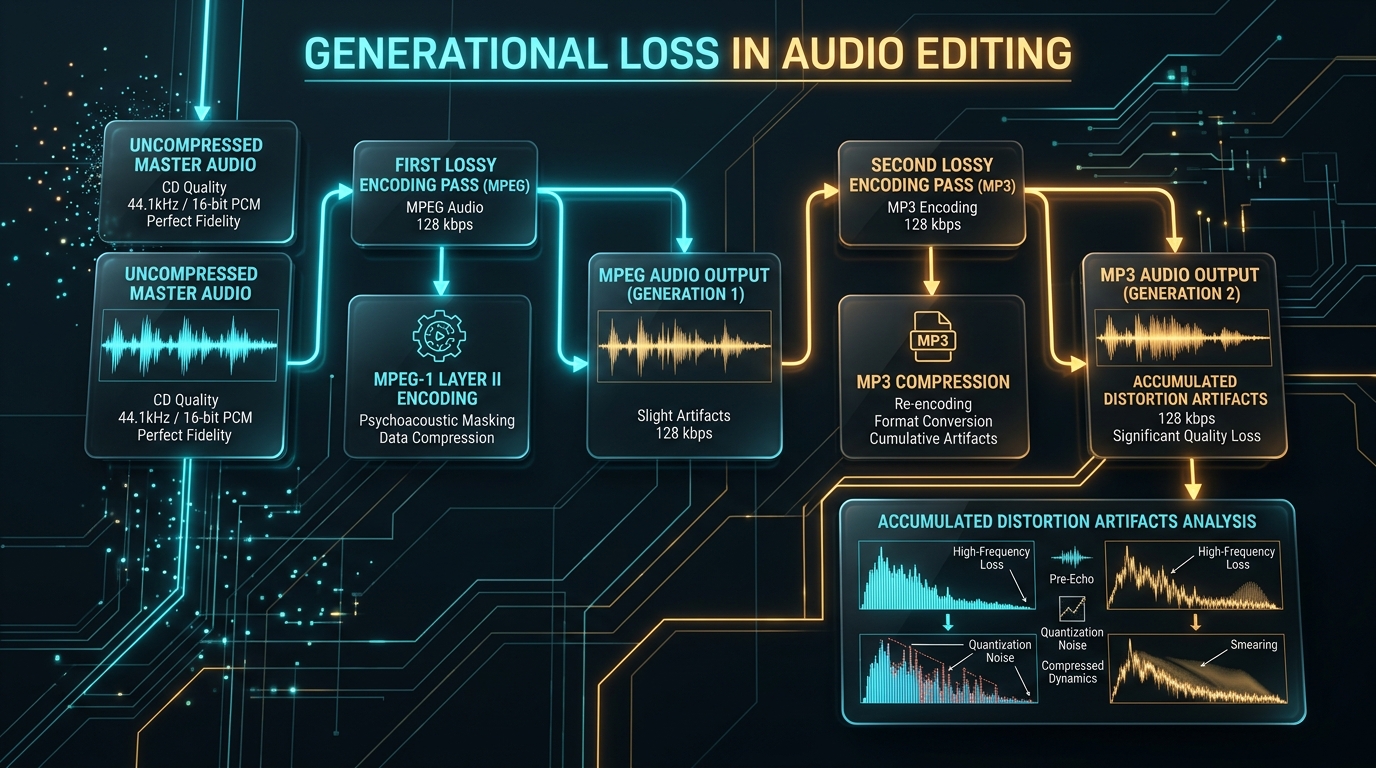
Double compression occurs when audio gets squeezed through lossy encoding more than once. Since MPEG audio is already compressed, converting it again into MP3 essentially compresses it a second time, compounding small losses.
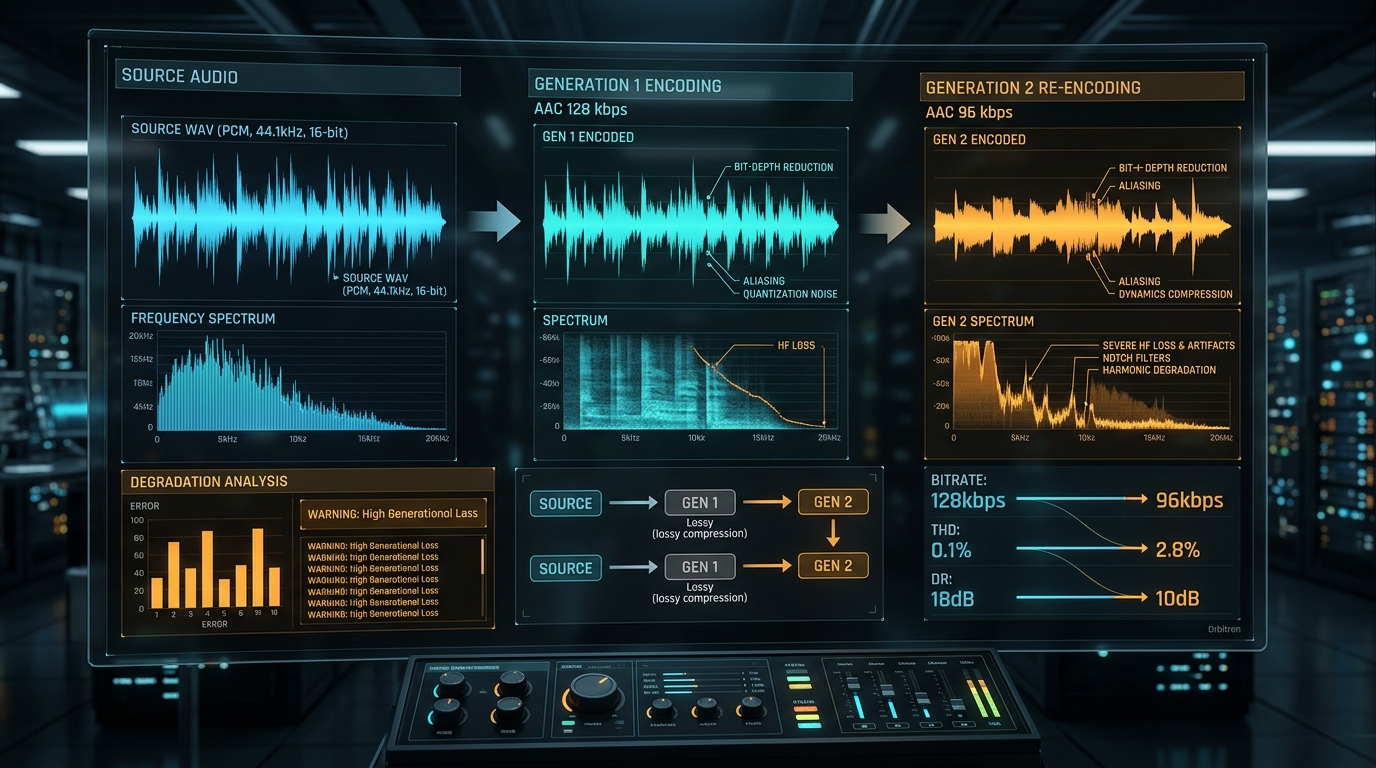
Each pass discards a little more information. It’s like photocopying a photocopy, the result technically works, but subtle degradation creeps in with every repeated generation of the process.
When MPEG Audio Has Already Been Compressed
Most MPEG files store audio using compressed codecs from the start, not raw, uncompressed sound. This means your source file already underwent one round of lossy processing before you even begin the MPEG to MP3 conversion.
Understanding this upfront changes expectations. You’re not converting pristine audio; you’re re encoding something already imperfect, which naturally limits how good the final result can possibly sound.
How Re Encoding Affects an Existing Lossy Audio Stream
Every re encoding pass targets frequencies the codec deems less important. Problem is, the second pass doesn’t know which details the first pass already removed, sometimes targeting different, still important data unnecessarily.
Why Converting to MP3 Does Not Automatically Mean the Same Quality
Many assume matching the original bitrate guarantees identical quality. That’s false. Transcoding loss happens regardless of matching numbers, since the underlying audio data has already been altered once before.
| Conversion Scenario | Quality Outcome |
|---|---|
| Lossless source to MP3 | Minimal, expected loss |
| Already compressed MPEG to MP3 | Compounded, double loss |
| MP3 to MP3 re encode | Noticeable degradation |
How Source Codec and Bitrate Influence the Result
The original codec and bitrate used in your MPEG file heavily determine final outcomes. Low bitrate sources re encoded into MP3 often sound noticeably worse, since there’s less original detail available to preserve.
Higher quality source bitrate gives the second encoding pass more material to work with, softening the effects of generational loss considerably compared to poorly compressed starting material.
What Audible Artifacts Can Appear After Re Encoding?
Listen closely and you might catch subtle audio artifacts, a slight muddiness, thinner high frequencies, or faint distortion during loud passages. These compression artifacts stack up with each additional lossy codec pass applied.
Casual listening on phone speakers rarely reveals these issues. Quality headphones or proper speakers, however, can expose the cumulative damage from repeated audio degradation more clearly.
Why a Higher MP3 Bitrate Cannot Undo Previous Compression
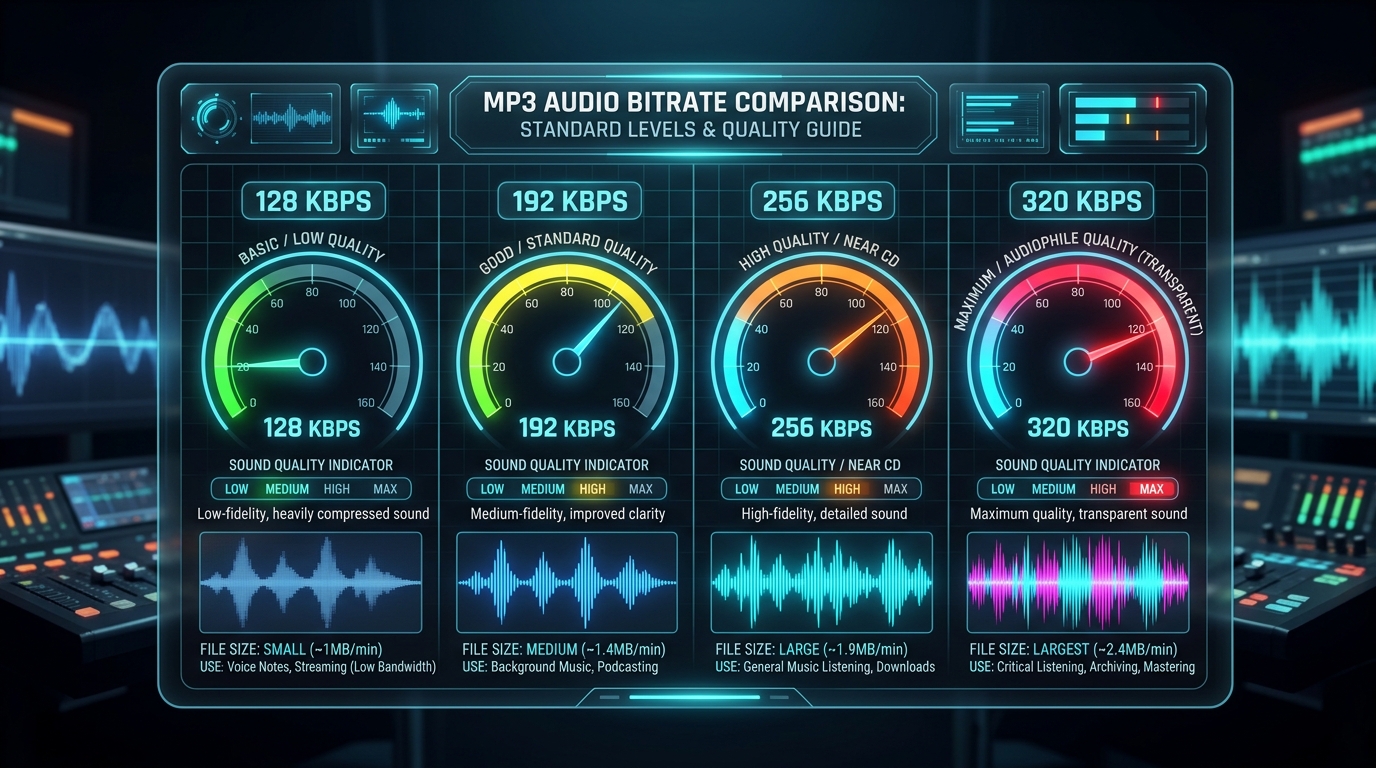
Cranking your output bitrate to 320 kbps won’t fix damage baked in earlier. You’re simply storing already degraded audio using more data, not restoring detail that vanished during the original MPEG audio compression stage.
How Lossless Intermediate Formats Fit Into an Audio Workflow
Professional workflows sometimes use lossless intermediate formats like WAV between conversion stages. This doesn’t undo prior damage, but it prevents adding further lossy re encoding losses during editing or processing steps before final export.
When Repeated Conversions Should Be Avoided
Avoid converting the same file between formats repeatedly. Each round of transcoding introduces fresh quality degradation. Whenever possible, always work from your original, unconverted source file rather than a previously compressed copy.
Conclusion: Understanding Quality Loss During Re Encoding
Double compression is subtle but real. Converting already compressed MPEG audio into MP3 always involves some generational loss, regardless of chosen settings. Keep your original files safe, minimize repeated transcoding, and you’ll preserve the best possible audio fidelity throughout your media workflow.